

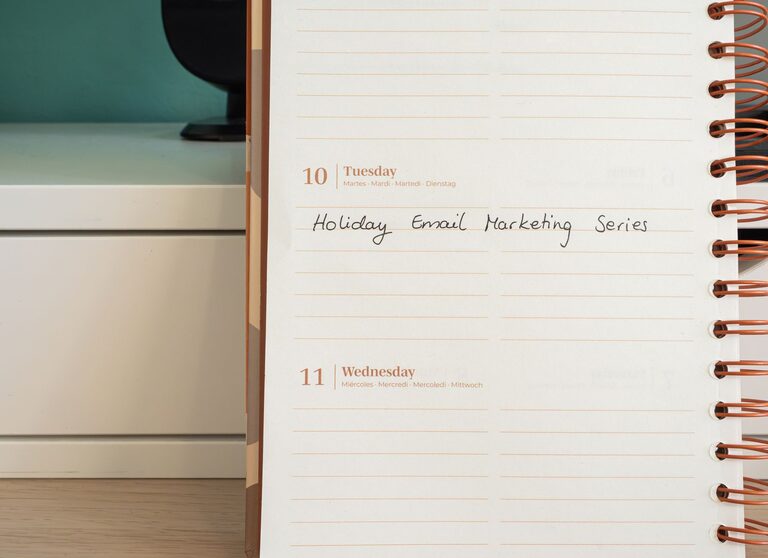
Managing your email inbox can sometimes feel like a full-time job. With the constant flow of messages, newsletters, notifications, and spam, it’s easy to feel overwhelmed. However, keeping your emails under control is essential for staying productive and reducing stress. This guide offers practical steps and strategies you can implement to take charge of your inbox and handle emails more efficiently.
Why Managing Your Email Matters
An overflowing inbox can negatively impact your focus and productivity. Important messages might get lost, and you may spend more time searching for information instead of completing tasks. By organizing your emails, you can:
– Save time and reduce distractions
– Respond to important messages promptly
– Maintain better communication habits
– Reduce stress related to digital clutter
Step 1: Set Up a System for Organization
Before you start dealing with the backlog, create a clear system to handle incoming emails.
Use Folders and Labels
Most email services allow you to create folders or labels to categorize messages. Some common categories include:
– Work
– Personal
– Newsletters
– Receipts
– To-Do
Assigning emails to these categories helps you quickly review and prioritize your messages.
Create Filters and Rules
Filters or rules automatically sort incoming emails based on sender, subject, keywords, or other criteria. For example, you can set a filter to send all newsletters directly to a “Newsletters” folder. This keeps your main inbox cleaner and lets you review less urgent content on your schedule.
Step 2: Practice Inbox Zero Principles
Inbox zero is a popular method that encourages keeping your inbox empty or nearly empty. The goal is to process emails regularly so they don’t pile up.
Process Emails Quickly
When you open an email, decide what to do with it immediately. The “two-minute rule” suggests that if you can respond or complete the task in two minutes or less, do it right away. Otherwise, move the email to an action folder or schedule time to handle it later.
Delete or Archive
If an email doesn’t require any action and is not needed for future reference, delete it. Archiving older emails you want to keep but don’t need in your inbox is also a good practice.
Use the Four D’s Method
– Delete: Remove unnecessary emails.
– Delegate: Forward emails to someone else if appropriate.
– Do: Take immediate action if possible.
– Defer: Schedule a time to address emails that need more attention.
Step 3: Limit Incoming Emails
One way to keep your email manageable is to reduce the number of messages you receive.
Unsubscribe from Unwanted Newsletters
Review your subscriptions and unsubscribe from newsletters or promotional emails you no longer read. Many emails have an unsubscribe link at the bottom, which you can use to reduce clutter.
Use a Secondary Email Address
Consider creating a separate email address for newsletters, online shopping, or sign-ups. Keeping marketing and personal emails separate helps maintain focus in your main inbox.
Step 4: Schedule Email Time
Instead of checking your inbox constantly throughout the day, set specific times to read and respond to emails.
Batch Process Emails
Designate two or three times a day to handle email. This approach helps minimize interruptions and improves your ability to focus on other tasks.
Turn Off Notifications
Disabling email notifications on your phone or computer can reduce distraction and prevent you from feeling compelled to check emails immediately.
Step 5: Use Helpful Tools and Features
Modern email platforms and third-party applications offer tools to help manage your inbox efficiently.
Snooze Emails
If your email service supports it, snooze messages that aren’t urgent and want to handle later. The emails temporarily disappear and return to your inbox at a designated time.
Templates and Canned Responses
For emails you send frequently, create templates or canned responses to save time.
Search and Spam Filters
Make use of robust search functions to locate emails quickly and ensure spam filters are active and effective.
Step 6: Maintain the Habit
Keeping your email under control is an ongoing process. Make a habit of regularly organizing, deleting, and responding to emails based on your system. A few minutes each day can prevent overwhelm and help maintain productivity.
Final Thoughts
Email is an essential communication tool, but without proper management, it can become a source of stress. By organizing your inbox, limiting unnecessary emails, scheduling email time, and using helpful tools, you can take control and improve your daily workflow. Remember, the goal is not to eliminate email but to manage it in a way that supports your productivity and peace of mind.
Start implementing these strategies today and enjoy a more organized and efficient email experience!